
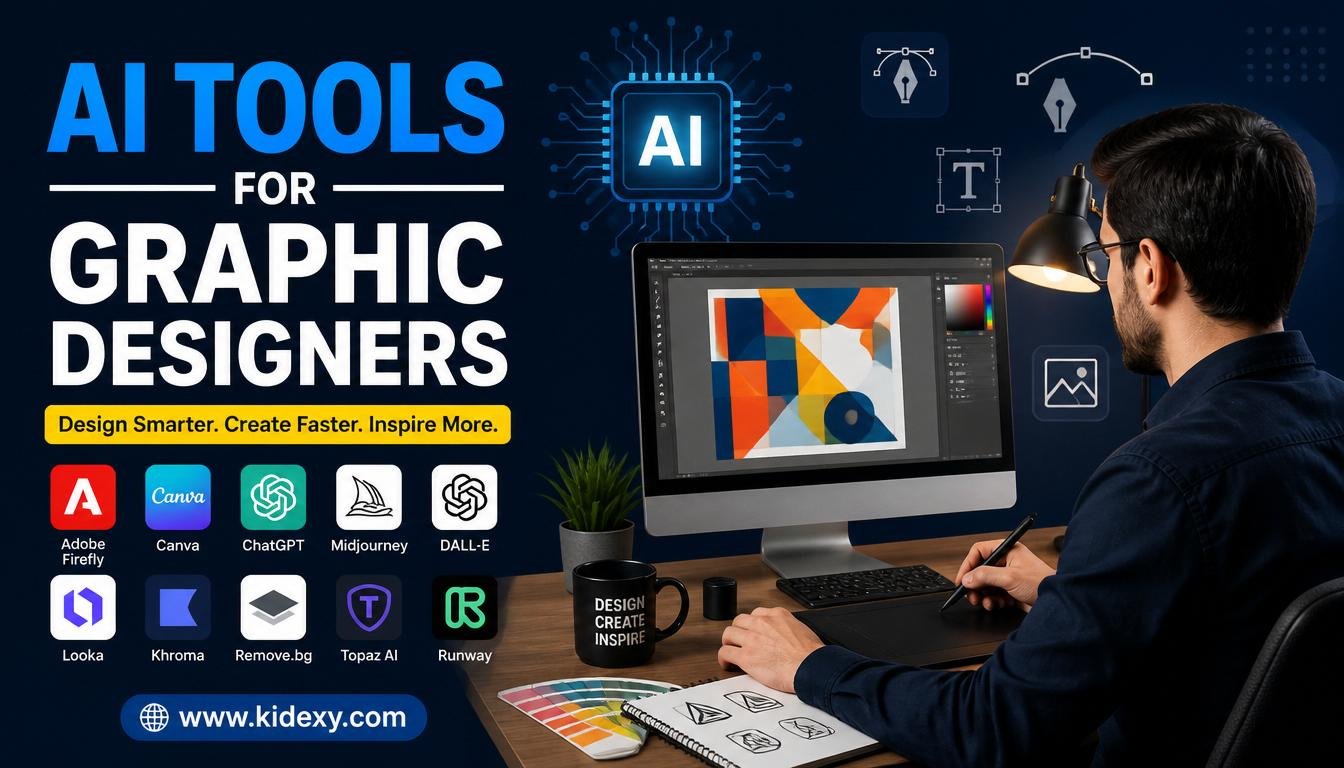
Graphic design has always been a blend of creativity, technical skills, and problem-solving. Today, artificial intelligence is changing how designers approach their work by helping them generate ideas, automate repetitive tasks, and complete projects more efficiently. What once required hours of manual effort can now be accomplished in minutes with the right technology.
The growing popularity of AI Tools for Graphic Designers is not about replacing creative professionals. Instead, these tools serve as assistants that help designers focus on strategy, creativity, and innovation. Whether you’re a freelancer, agency professional, or business owner, understanding how AI can support the design process is becoming increasingly important.
What Are AI Tools for Graphic Designers?
Understanding AI-Powered Design Technology
Artificial intelligence design platforms use machine learning algorithms to analyze patterns, recognize visual elements, and generate creative outputs based on user instructions. These systems can create images, suggest layouts, edit photos, and even recommend color palettes that match a project’s objectives.
Unlike traditional design software that relies entirely on manual input, AI-powered solutions can automate portions of the creative process. Designers provide prompts, preferences, or source materials, and the software generates options that can be refined and customized.
Why AI Has Become Essential for Modern Designers
The demand for visual content has grown dramatically across websites, social media platforms, advertising campaigns, and digital products. Designers are expected to produce more content in less time while maintaining high quality standards.
This is where AI Tools for Graphic Designers provide significant value. They help professionals handle increasing workloads by speeding up ideation, simplifying production tasks, and allowing more time for creative decision-making. As a result, designers can focus on delivering unique experiences rather than spending excessive time on repetitive processes.
Key Benefits of Using AI in Graphic Design
Faster Design Workflows
One of the biggest advantages of AI-powered design solutions is speed. Tasks such as removing backgrounds, resizing graphics, generating image variations, and creating mockups can be completed automatically.
This acceleration helps designers meet tight deadlines without sacrificing quality. Faster workflows also allow creative teams to handle multiple projects simultaneously, improving productivity and client satisfaction.
Enhanced Creativity and Idea Generation
Creative blocks happen to every designer. AI can help overcome these challenges by generating fresh concepts and visual directions based on simple prompts.
Instead of starting from a blank canvas, designers can explore multiple ideas instantly. These generated concepts often inspire new creative approaches that may not have emerged through traditional brainstorming methods.
Improved Consistency Across Projects
Maintaining a consistent visual identity is essential for brands. AI systems can help ensure that colors, typography, imagery, and design elements remain aligned across different marketing materials.
This consistency strengthens brand recognition and creates a more professional appearance across digital and print channels. Teams working on large-scale projects especially benefit from standardized design outputs.
Cost and Resource Efficiency
Businesses and independent designers often face budget limitations. AI solutions can reduce production costs by automating labor-intensive tasks that would otherwise require significant time and resources.
Smaller organizations can achieve professional-quality results without hiring large creative teams. At the same time, experienced designers can increase their output and profitability by working more efficiently.
Types of AI Tools for Graphic Designers
AI Image Generators
Image generation platforms can create illustrations, concept art, marketing visuals, and creative assets from text descriptions. These tools have become valuable resources for brainstorming and rapid content production.
Many designers use generated images as starting points for larger projects. They can quickly visualize ideas and then refine them using traditional design techniques.
AI Layout and Composition Tools
Creating balanced and visually appealing layouts requires careful planning. AI-powered layout tools analyze design principles and automatically suggest arrangements for text, images, and other elements.
This feature is especially useful when producing presentations, advertisements, landing pages, and social media graphics. Designers can save time while maintaining professional visual standards.
AI Typography and Text Design Tools
Typography plays a major role in effective communication. Modern AI systems can recommend font pairings, optimize spacing, and create visually appealing text layouts.
These tools help designers improve readability while ensuring that typography complements the overall design style. This is particularly valuable for branding and marketing materials.
AI Photo Editing and Enhancement Tools
Photo editing traditionally requires significant technical expertise. AI-powered editors simplify complex tasks such as object removal, image restoration, color correction, and detail enhancement.
With just a few clicks, designers can transform ordinary images into polished visuals suitable for professional use. This makes high-quality editing accessible to users of all skill levels.
AI Branding and Logo Design Tools
Branding projects often begin with extensive research and concept development. AI branding tools can generate logo ideas, color schemes, and visual identities based on business descriptions and target audiences.
Although human refinement remains important, these tools provide a helpful foundation for developing strong brand identities more efficiently.
Popular AI Tools Used by Graphic Designers
Midjourney
Midjourney has gained a strong reputation for producing highly artistic and visually impressive images. Designers often use it to create concept art, mood boards, and creative inspiration during the early stages of a project.
Its ability to generate detailed and imaginative visuals makes it particularly useful for advertising campaigns, branding concepts, and digital artwork. Many creative professionals rely on it when exploring new visual directions before moving into production.
Adobe Firefly
Adobe Firefly integrates seamlessly with popular Adobe applications, making it a natural choice for designers already working within the Adobe ecosystem. It offers features such as generative image creation, content-aware editing, and text-to-image capabilities.
Because it is designed with commercial use in mind, many businesses feel comfortable incorporating Firefly-generated content into professional projects. Its integration with existing workflows also reduces the learning curve for experienced designers.
Canva AI
Canva AI focuses on simplicity and accessibility. It enables users to create social media graphics, presentations, marketing materials, and business visuals with minimal design experience.
Professional designers often use Canva for quick projects and collaborative work. Its AI-powered features can generate layouts, suggest design improvements, and streamline content creation without requiring extensive technical knowledge.
Ideogram
Ideogram has become popular because of its ability to generate images that include readable and visually appealing text. This capability addresses one of the common challenges associated with AI-generated graphics.
Designers creating posters, advertisements, banners, and promotional materials often find this tool particularly useful. Clear typography can significantly improve the effectiveness of visual communication.
Kittl
Kittl is designed specifically for branding, merchandise, and print-related projects. Its interface combines creative flexibility with AI-powered assistance, helping users create polished designs quickly.
The platform offers tools for logo development, product graphics, and marketing assets. This makes it a valuable option for entrepreneurs, agencies, and freelance designers working on branding projects.
Recraft
Recraft stands out because of its focus on vector graphics. Unlike many image-generation tools, it can create scalable assets that remain sharp at any size.
For designers working on logos, icons, and brand assets, vector-based outputs provide significant advantages. These files are easier to edit and adapt for different applications.
How to Choose the Right AI Design Tool
Identify Your Design Goals
Before selecting a platform, it is important to understand your primary objectives. Different tools excel at different tasks, including image generation, branding, photo editing, or social media content creation.
A designer focused on creating illustrations may require different features than someone specializing in marketing materials or corporate branding. Matching tools to specific goals improves efficiency and results.
Consider Ease of Use
Some platforms are designed for beginners, while others target experienced professionals. Choosing software that matches your skill level can make the learning process much smoother.
A user-friendly interface helps designers spend less time learning software and more time creating. This is particularly valuable for freelancers and small businesses with limited resources.
Evaluate Customization Options
Flexibility is essential when creating unique visual experiences. The best design tools allow users to adjust layouts, colors, typography, and creative elements according to project requirements.
Customization ensures that final designs align with brand guidelines and client expectations rather than appearing generic or repetitive.
Compare Pricing and Value
Cost should always be considered alongside features and functionality. Some platforms offer free plans that are sufficient for occasional use, while premium subscriptions provide advanced capabilities.
Evaluating the overall value of a tool helps designers invest in solutions that deliver measurable benefits without exceeding budget limitations.
Best Practices for Using AI in Graphic Design
Use AI as a Creative Assistant
Artificial intelligence performs best when it supports human creativity rather than replacing it. Designers should view AI-generated outputs as starting points that can be refined and improved.
Combining technology with personal expertise often produces stronger results than relying entirely on automation. Creative judgment remains one of the most valuable skills in the design process.
Maintain Human Oversight
AI can generate impressive visuals, but it is not perfect. Errors, inconsistencies, and design issues can still occur, making human review essential.
Careful evaluation helps ensure that projects meet quality standards and accurately communicate the intended message. Professional oversight also protects brand integrity.
Focus on Originality and Brand Identity
While AI can generate numerous design options quickly, originality should remain a priority. Designers must ensure that their work reflects unique brand values and goals.
Adding personal creativity and strategic thinking helps differentiate projects from generic AI-generated content. Strong branding depends on authenticity and consistency.
Stay Updated with Emerging AI Features
Artificial intelligence technology evolves rapidly. New tools, features, and capabilities are introduced regularly, creating new opportunities for designers.
Continuous learning helps professionals remain competitive and take advantage of innovations that improve efficiency and creative possibilities.
Common Challenges and Limitations of AI Design Tools
Quality and Accuracy Issues
Despite their capabilities, AI systems can sometimes produce inaccurate or inconsistent outputs. Visual elements may require adjustments before they are suitable for professional use.
Designers should be prepared to edit and refine generated content. Human expertise remains essential for achieving polished results.
Copyright and Licensing Concerns
Ownership and usage rights continue to be important considerations when using AI-generated content. Different platforms have different licensing policies and commercial-use guidelines.
Understanding these terms helps designers avoid legal complications and ensure compliance with client requirements.
Dependence on Prompts
The quality of AI-generated results often depends on the quality of the instructions provided. Vague prompts may lead to unsatisfactory outputs, while detailed guidance usually produces better results.
Learning how to write effective prompts has become an increasingly valuable skill for creative professionals working with AI systems.
Ethical Considerations
Responsible use of AI involves transparency, originality, and respect for intellectual property. Designers should carefully consider the ethical implications of using generated content in commercial projects.
Maintaining professional standards helps build trust with clients and audiences while supporting responsible innovation.
The Future of AI in Graphic Design
Emerging Trends
Artificial intelligence continues to evolve beyond basic image generation. Future developments are expected to include more advanced personalization, real-time collaboration, and deeper integration with design workflows.
These innovations will likely make creative processes more efficient while providing designers with greater control over generated content.
The Evolving Role of Designers
As technology advances, the role of designers will continue to shift. Strategic thinking, storytelling, creative direction, and problem-solving will become even more valuable.
Rather than replacing designers, AI is changing how they work. Professionals who embrace new technologies while maintaining strong creative skills will remain highly competitive.
Skills Graphic Designers Should Develop
Future-ready designers should focus on creativity, communication, branding strategy, and prompt development. Technical knowledge of AI platforms will also become increasingly important.
These skills will help professionals maximize the benefits of modern design technologies while continuing to deliver meaningful and effective visual experiences.
Conclusion
Artificial intelligence is transforming the creative industry by making design processes faster, more efficient, and more accessible. From image generation and photo editing to branding and layout creation, modern solutions provide valuable support for designers at every experience level.
The rise of AI Tools for Graphic Designers does not diminish the importance of human creativity. Instead, these technologies empower professionals to focus on innovation, strategy, and storytelling. By combining creative expertise with intelligent automation, designers can produce stronger work and adapt successfully to the future of digital design.
FAQs
What are the best AI tools for graphic design?
Popular options include Midjourney, Adobe Firefly, Canva AI, Ideogram, Kittl, and Recraft. Each platform specializes in different aspects of the design process.
Can AI replace graphic designers?
No. AI can automate certain tasks and generate ideas, but human creativity, strategic thinking, and design expertise remain essential.
Are AI-generated designs suitable for commercial use?
Many platforms allow commercial use, but designers should always review licensing terms and usage rights before publishing or selling content.
How do AI tools improve productivity for designers?
They automate repetitive tasks, generate concepts quickly, simplify editing, and help designers complete projects more efficiently.
What skills should graphic designers learn in the AI era?
Designers should focus on creative direction, branding strategy, communication, prompt writing, and staying updated with emerging technologies.
you may also read

Welcome to Blogeenex! I’m Afaq Naqshbandi, an AI-Powered SEO, and Content Writer with 3 years of experience.
I help websites rank higher, grow traffic, and look amazing. My goal is to make SEO and web design simple and effective for everyone.
Let’s achieve more together!